
How to Create a WordPress Staging Site (Test Changes Safely)
A staging site is a private copy of your website where you can try plugin updates, a new theme or a redesign. If something breaks, nobody notices. When it works, you copy the changes to the live site in a few clicks.
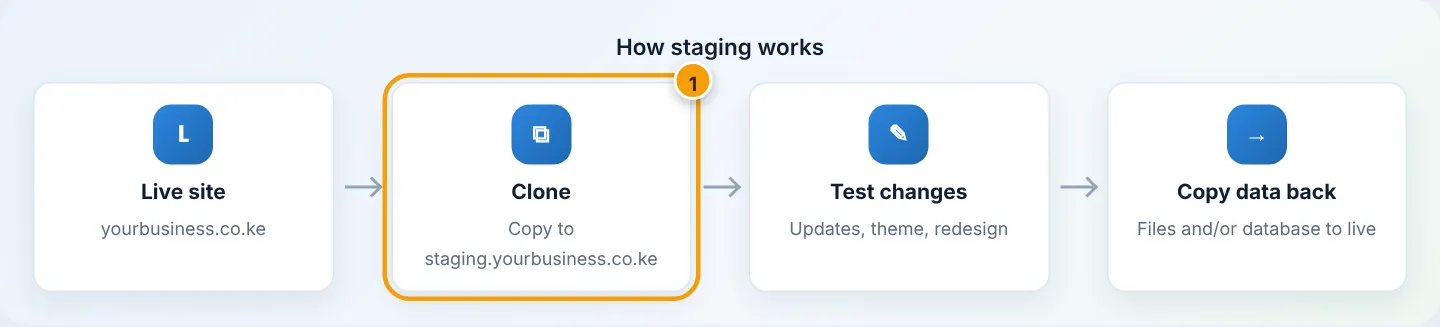
Step 1: Create a subdomain for staging
cPanel → Domains → Domains → Create A New Domain → staging.yourbusiness.co.ke (own document root) → Submit. Run AutoSSL. See Create a subdomain.
Step 2: Clone the live site with WP Toolkit
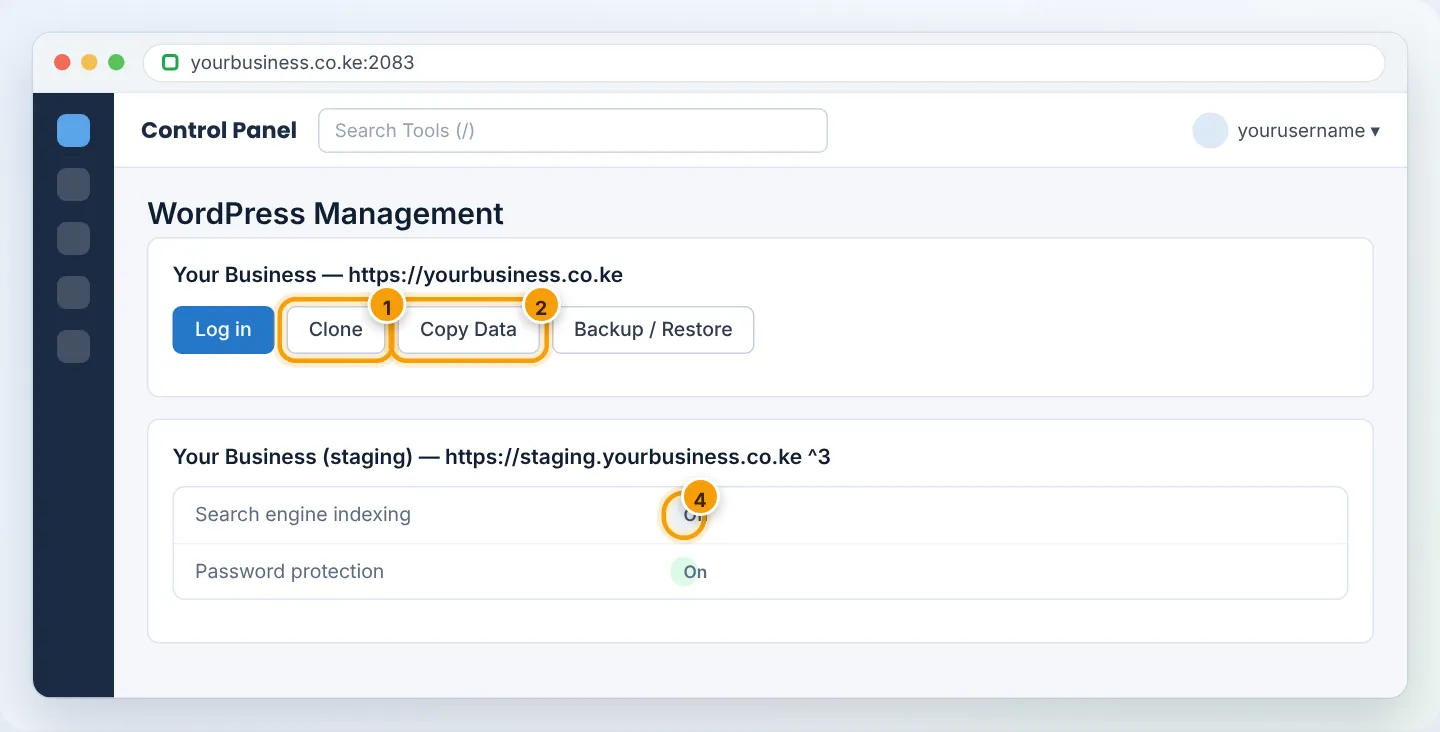
- cPanel → Domains → WordPress Management.
- On your live site's card, click Clone.
- Target: choose
staging.yourbusiness.co.ke, path/. - Database: Create new.
- Click Start. WP Toolkit copies files and database and updates the URLs for the staging address.
Step 3: Keep staging private
On the staging site's card in WordPress Management:
- Search engine indexing: Off — so Google does not index a duplicate of your site.
- Password protection: On — set a username/password (same as Directory Privacy).
Staging is a full copy, including customer data and WooCommerce orders. Protect it with a password, and disable payment gateways and outgoing emails on staging (e.g. switch payment plugins to test/sandbox mode) so test orders do not charge real customers or email them.
Step 4: Make and test your changes on staging
Log in to staging (Log in on its card) and do the work — update plugins, change theme, redesign pages. Test everything thoroughly on desktop and phone.
Step 5: Push the changes to the live site
Back up the live site first. Then on the staging card click Copy Data and choose:
- Target: your live site.
- What to copy:
- Files only — for theme/plugin updates and design files. Safest for shops, because live orders stay untouched.
- Files and selected database tables — e.g.
wp_posts,wp_postmetafor page content changes. - Files and database (everything) — only when nothing important has changed on the live site since cloning (no new orders, comments, registrations).
- Tick Create a restore point — lets you undo the copy with one click.
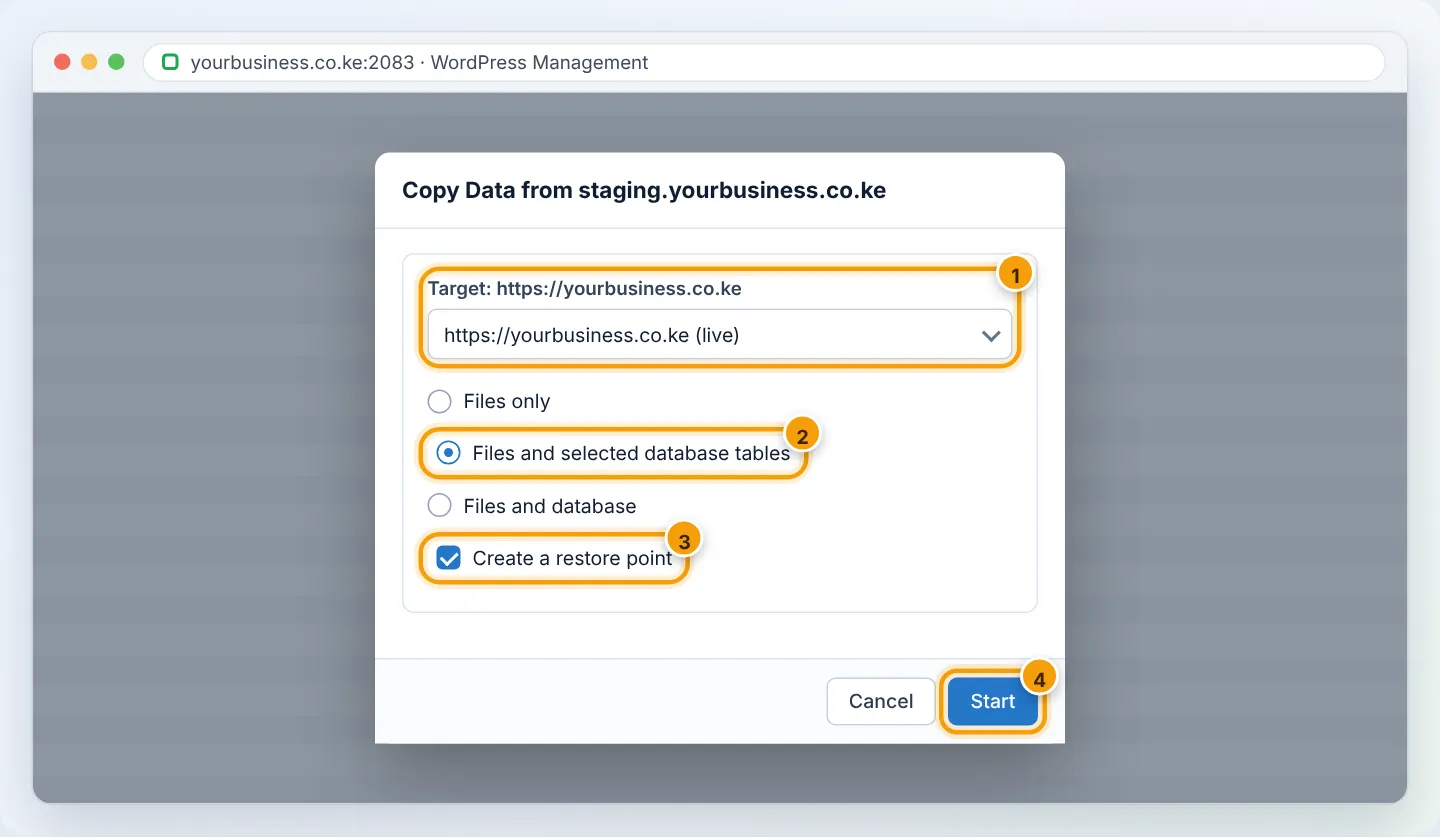
Click Start, then check the live site in a private window. Purge the cache.
If something goes wrong
On the live site's card → Backup / Restore → choose the restore point created before the copy → Restore. Or restore from UpdraftPlus / our daily backups.
Alternatives
- WP Staging or WP STAGING Pro plugins create a staging copy inside your site folder.
- For non-WordPress sites, copy files to the staging subdomain and duplicate the database manually.
Troubleshooting
| Problem | Cause | Fix |
|---|---|---|
| Clone option missing | Site not detected by WP Toolkit | Click Scan in WordPress Management |
| Staging redirects to live site | URLs not replaced (manual copy) | Search-replace live URL → staging URL |
| Disk quota exceeded | Staging doubles disk usage | Delete old staging sites; check Disk Usage |
| Live orders disappeared after copying | Full database copied over live | Restore the restore point; next time copy files/selected tables only |
Frequently asked questions
Does staging cost extra? No. It uses your plan's disk space and a subdomain.
Should I delete staging afterwards? Keep one staging copy for future tests, but refresh it (clone again) before each new project so it matches live.
Figures are simplified illustrations. Your screen may look slightly different depending on your theme and the version of cPanel or the app you use.
Still need help?
Our Kenyan support team is on WhatsApp — real people, not bots. Mon–Sat, 8am–10pm EAT. Tickets are open 24/7.