
How to Open a Support Ticket and Get a Faster Fix
Support tickets are answered 24/7 and keep a full written record of your request. A ticket with the right details is usually solved in one reply — this guide shows how to write one.
Ticket or WhatsApp?
| Use a ticket when… | Use WhatsApp (+254 733 338 989) when… |
|---|---|
| It's outside 8am–10pm or on Sunday | You need a quick answer during working hours |
| You need to send screenshots, logs or long details | It's a short question |
| It's billing, a refund, or anything needing a record | You want to talk through options |
| You want to track progress | Your site is down and you're already waiting on a ticket |
Both reach the same Kenyan support team. Tickets are monitored 24/7 and acknowledged within 1 hour.
Step 1: Open a new ticket
Log in at client.braysons.co.ke → Support → Open Ticket. (Not logged in? You can still contact us at support@braysons.co.ke, but logging in lets us verify you and see your services.)
Step 2: Choose the department
| Department | For |
|---|---|
| Technical Support | Websites, cPanel, email, SSL, DNS, WordPress, errors |
| Billing | Invoices, payments, refunds, upgrades, cancellations |
| Sales | Questions before buying, custom requirements |
Step 3: Write a ticket that gets solved first time
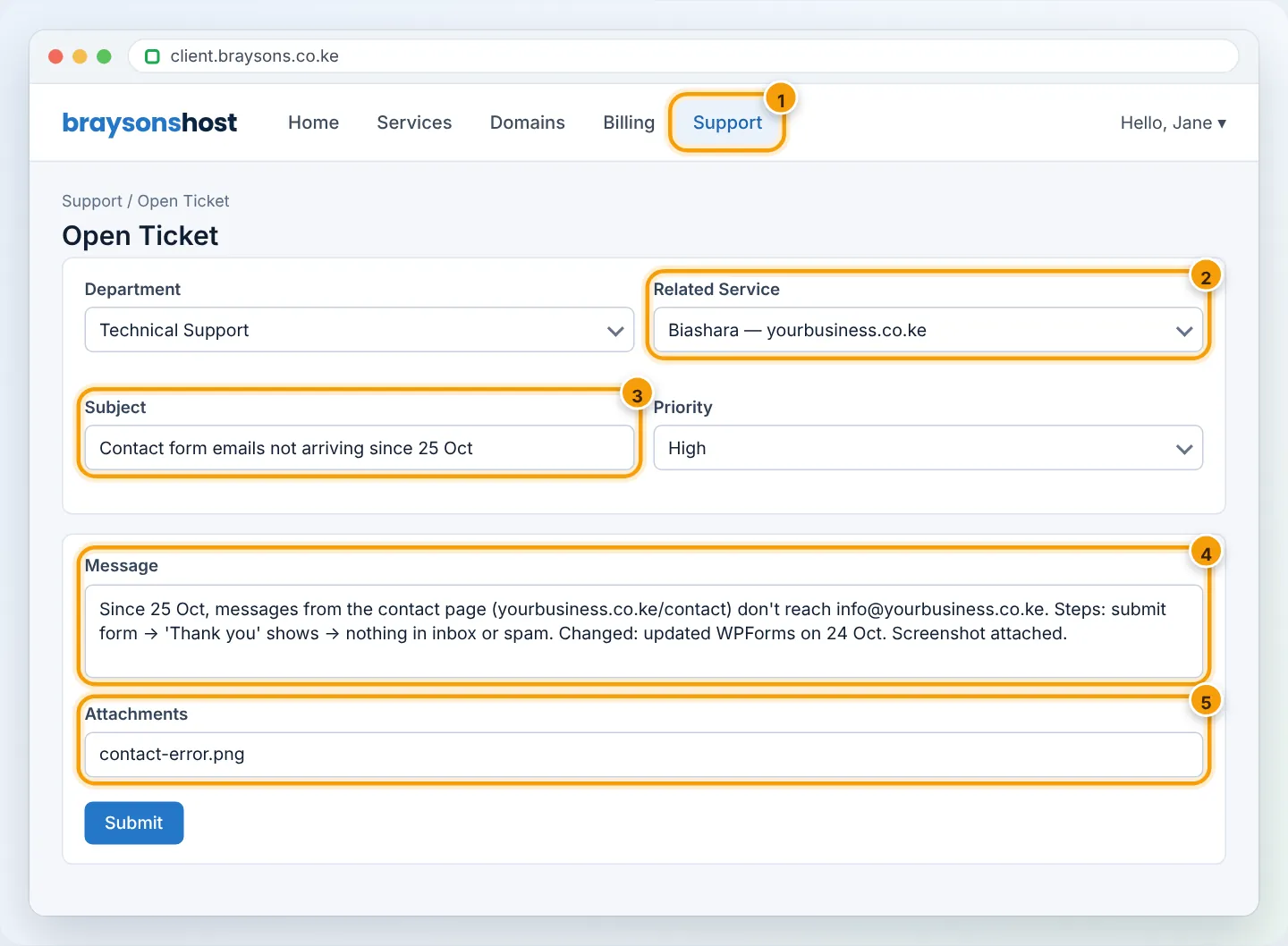
Include:
- Which domain/service — choose it under Related Service.
- What's wrong — the exact error message (copy it, or screenshot it).
- Where — the full page address, or the email address affected.
- When it started, and what changed just before (a plugin update, DNS change, new password…).
- What you've tried already.
- Screenshots — attach them (JPG/PNG/PDF).
Never send passwords in a ticket or on WhatsApp. If we need access, we'll explain a safe way — for example, a temporary WordPress user that you delete afterwards.
Choose an honest priority
High for a site or email that's completely down; Medium for most things; Low for questions. It helps us reach outages first.
Step 4: Follow up in the same ticket
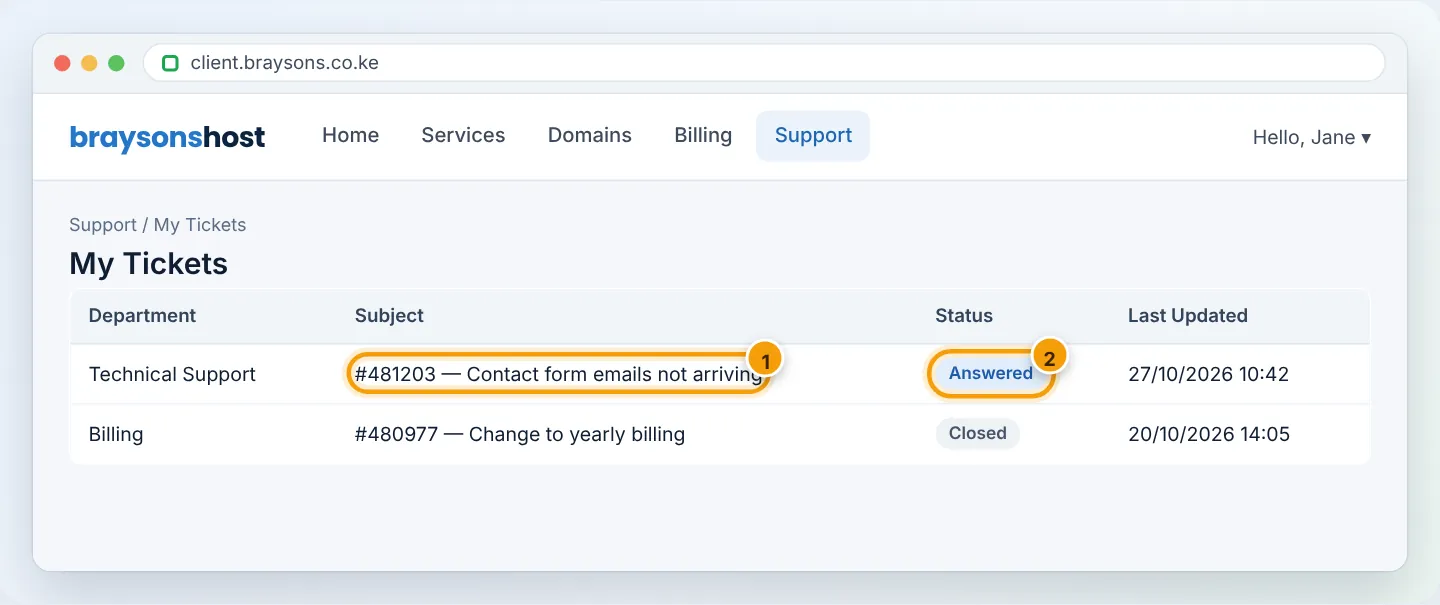
You get an email with each reply. Reply to that email, or go to Support → My Tickets, open the ticket and click Reply. Keep one issue per ticket and reply in the same ticket rather than opening new ones — it keeps the history together.
| Status | Meaning |
|---|---|
| Open | Waiting for our team |
| Answered | We replied — your turn |
| Customer-Reply | You replied — waiting for us |
| On Hold / In Progress | We're working on it |
| Closed | Resolved. Replying reopens it |
Frequently asked questions
How fast will I get help? Tickets are acknowledged within 1 hour, 24/7. Most issues are solved the same day; complex ones (migrations, malware clean-ups) take longer and we keep you updated.
Can I call? WhatsApp +254 733 338 989 (Mon–Sat, 8am–10pm EAT) — chat or voice note.
Figures are simplified illustrations. Your screen may look slightly different depending on your theme and the version of cPanel or the app you use.
Still need help?
Our Kenyan support team is on WhatsApp — real people, not bots. Mon–Sat, 8am–10pm EAT. Tickets are open 24/7.