
How to Manage Your Domain in the Client Area
Every domain you register or transfer to Braysons Host has its own management page in the client area. This guide walks through each tab, so you know where to change nameservers, keep the domain from expiring, update owner details and more.
Open the domain's management page
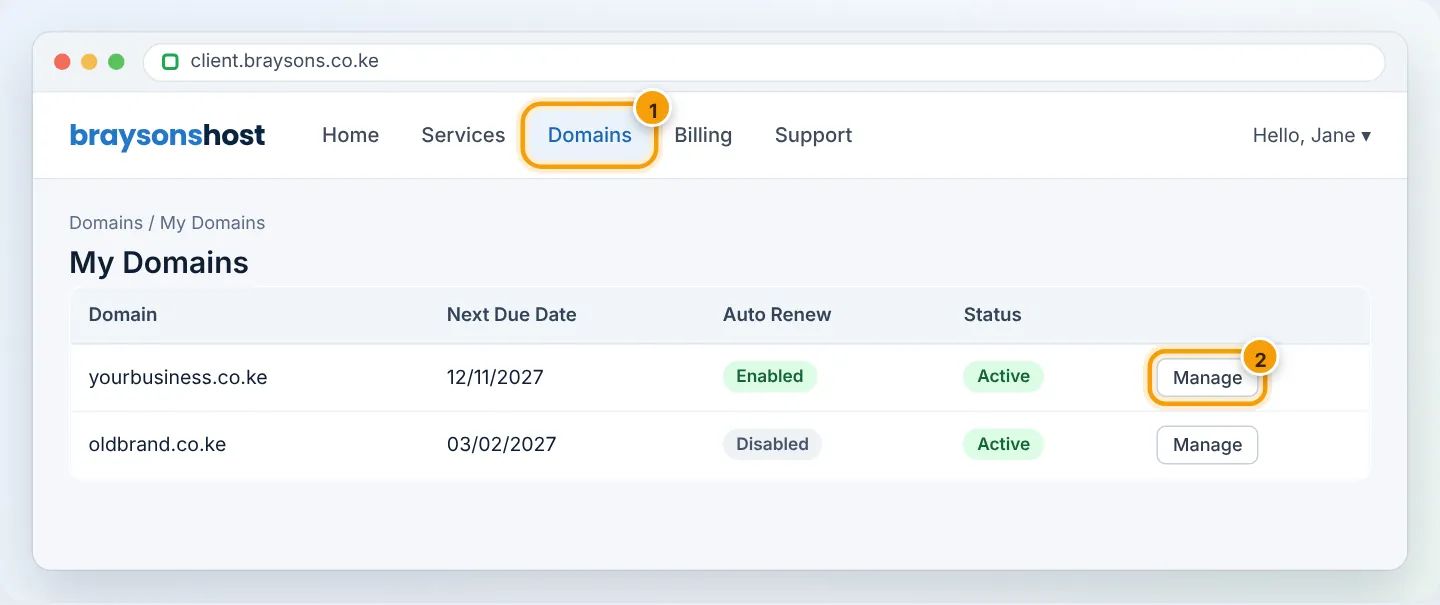
- Log in at client.braysons.co.ke.
- Click Domains → My Domains.
- Click Manage next to the domain (or the domain name itself).
The Overview tab
Shows the domain's status, registration date, next due date, recurring amount and payment method. Statuses you may see:
| Status | Meaning |
|---|---|
| Active | Registered and working |
| Pending / Pending Registration | Waiting for payment or registry processing |
| Pending Transfer | A transfer to us is in progress |
| Grace / Redemption | Expired — renew urgently |
| Expired / Cancelled | No longer registered with us |
Auto Renew
Turn Auto Renew on so a renewal invoice is created and charged automatically before expiry. Keep a payment method saved (Billing → Payment Methods). See Renew your domain.
Nameservers
Choose who manages DNS for the domain:
- Use default nameservers —
ns1.braysons.net/ns2.braysons.net. Choose this if your website is hosted with Braysons Host. - Use custom nameservers — enter another provider's (e.g. Cloudflare, or a website builder you use).
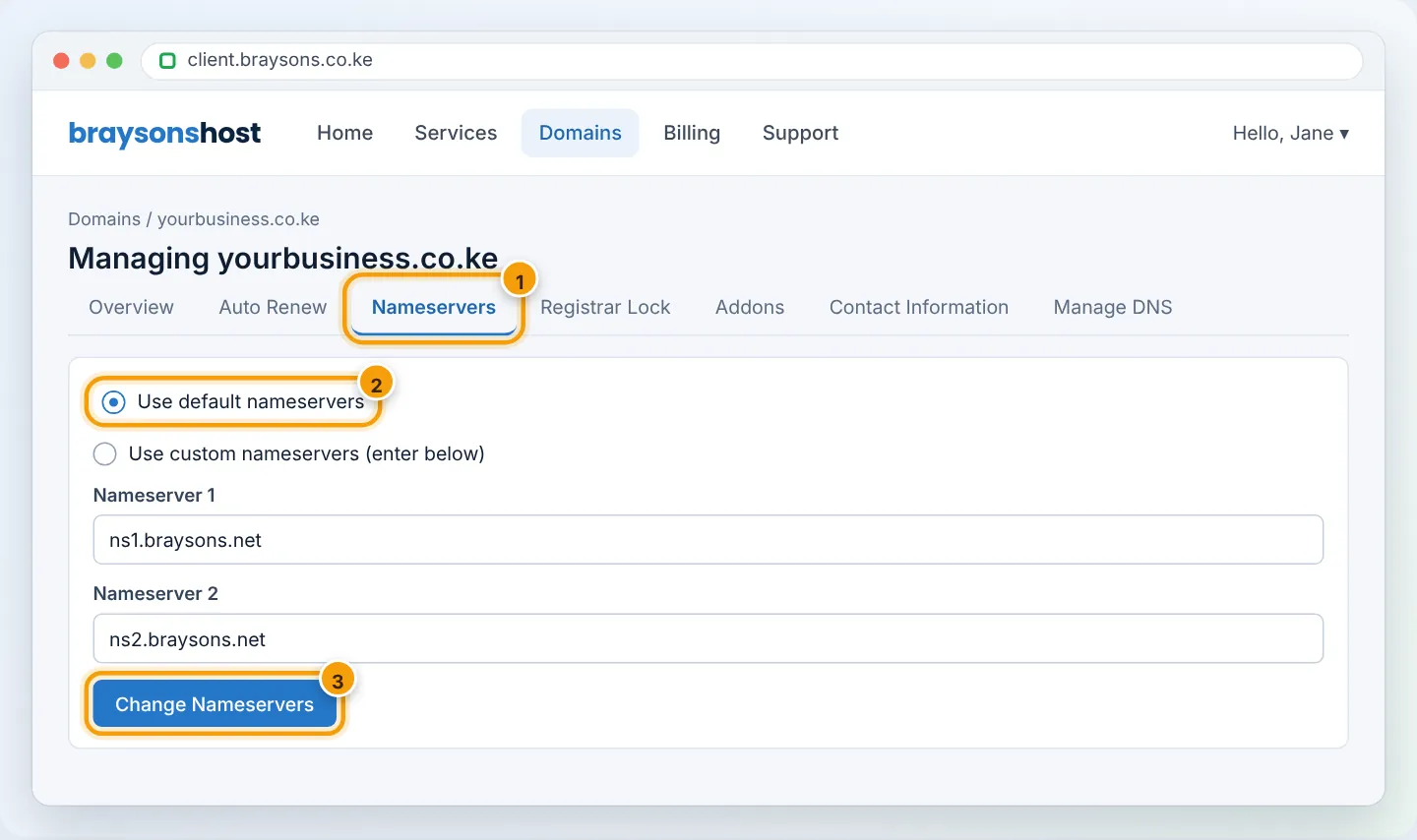
Changing nameservers moves all DNS — website, email and any verification records — to the new provider. Recreate your email (MX) records there before switching.
Registrar Lock
When enabled, the domain cannot be transferred away. Keep it on unless you are transferring out — see Get your EPP code. Many .ke domains do not use this setting.
Contact Information
The Registrant is the legal owner; Admin, Tech and Billing contacts receive notices. Keep these accurate — especially the registrant email, which receives transfer approvals.
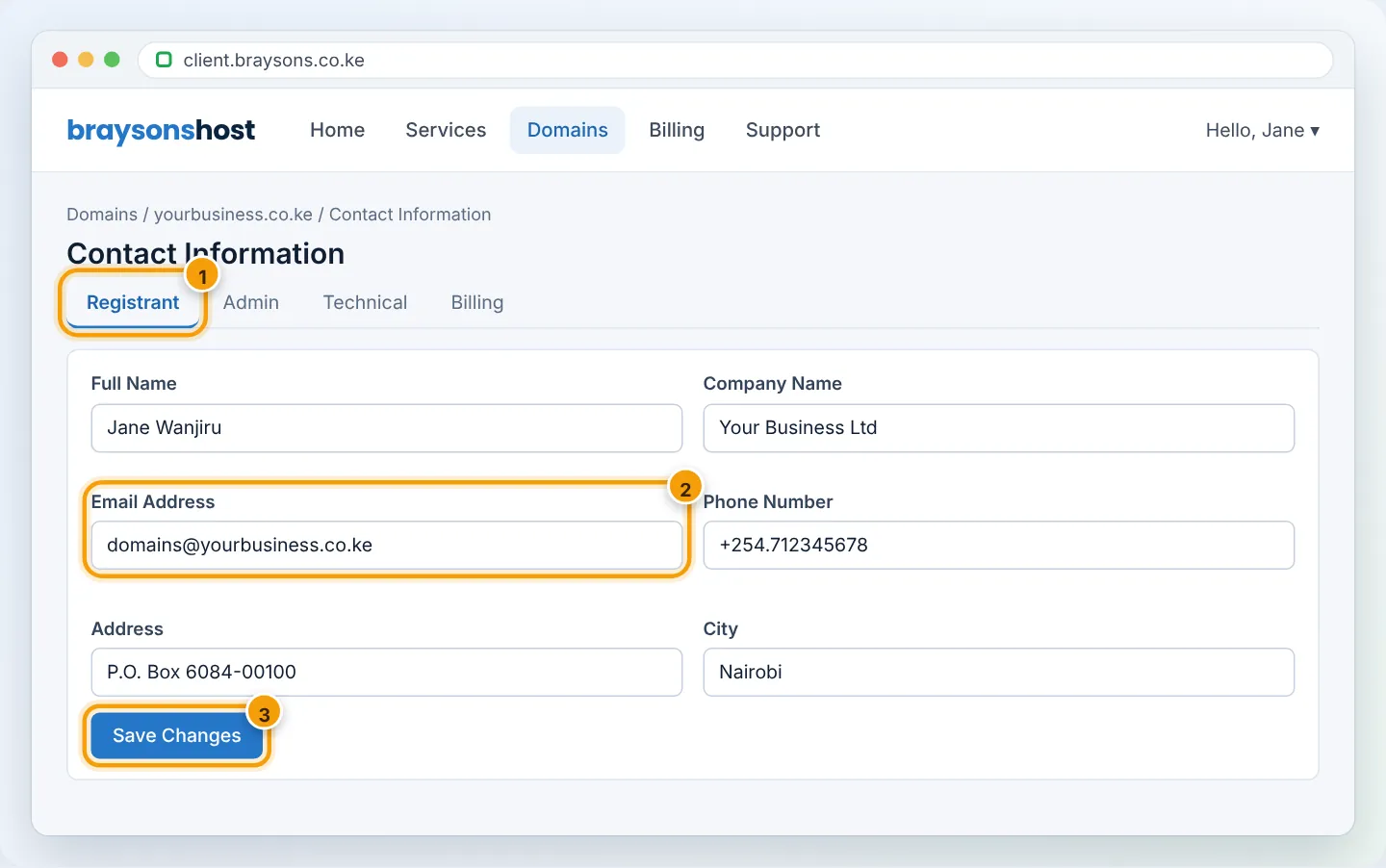
Changing the registrant name or company of a .ke domain may be treated as a change of ownership by KeNIC and need supporting documents. Contact us before changing it.
Manage DNS / DNS Management
If your domain uses Braysons nameservers with our hosting, manage records in cPanel → Zone Editor — see Manage DNS records. The client area's DNS tool (when shown) is for domains without hosting.
Addons
Optional extras such as ID Protection (where the extension supports it), DNS management and email forwarding for domains without hosting. See Domain privacy.
Other actions
- Renew — add years in advance.
- Get EPP Code — to transfer the domain to another registrar.
- Upgrade/Order hosting — attach a hosting plan to a domain-only registration.
Troubleshooting
| Problem | Cause | Fix |
|---|---|---|
| A domain I own is missing from the list | It is registered elsewhere or under another client account | Check other accounts; transfer it to us |
| “Nameserver update failed” | Nameserver hostname invalid or not yet registered | Check spelling; use exact values from the provider |
| Contact changes not saved | Required field empty or invalid phone format | Use +254.712345678 format |
Frequently asked questions
Can I give someone else access to manage domains? Yes — add them as a contact/user on your client account with domain permissions (Hello, Name → Contacts / Users), instead of sharing your password.
Where do I change the website itself? In cPanel — the client area handles billing, domains and support; cPanel handles hosting.
Figures are simplified illustrations. Your screen may look slightly different depending on your theme and the version of cPanel or the app you use.
Still need help?
Our Kenyan support team is on WhatsApp — real people, not bots. Mon–Sat, 8am–10pm EAT. Tickets are open 24/7.