
How to Connect to Your Hosting With FTP (FileZilla)
FTP is the fastest way to move lots of files between your computer and your hosting — whole websites, large media folders, or backups. FileZilla is free, works on Windows, Mac and Linux, and this guide sets it up securely in minutes.
Step 1: Create an FTP account
You can use your main cPanel username, but a separate FTP account is safer — especially for a designer — because you can limit it to one folder and delete it later.
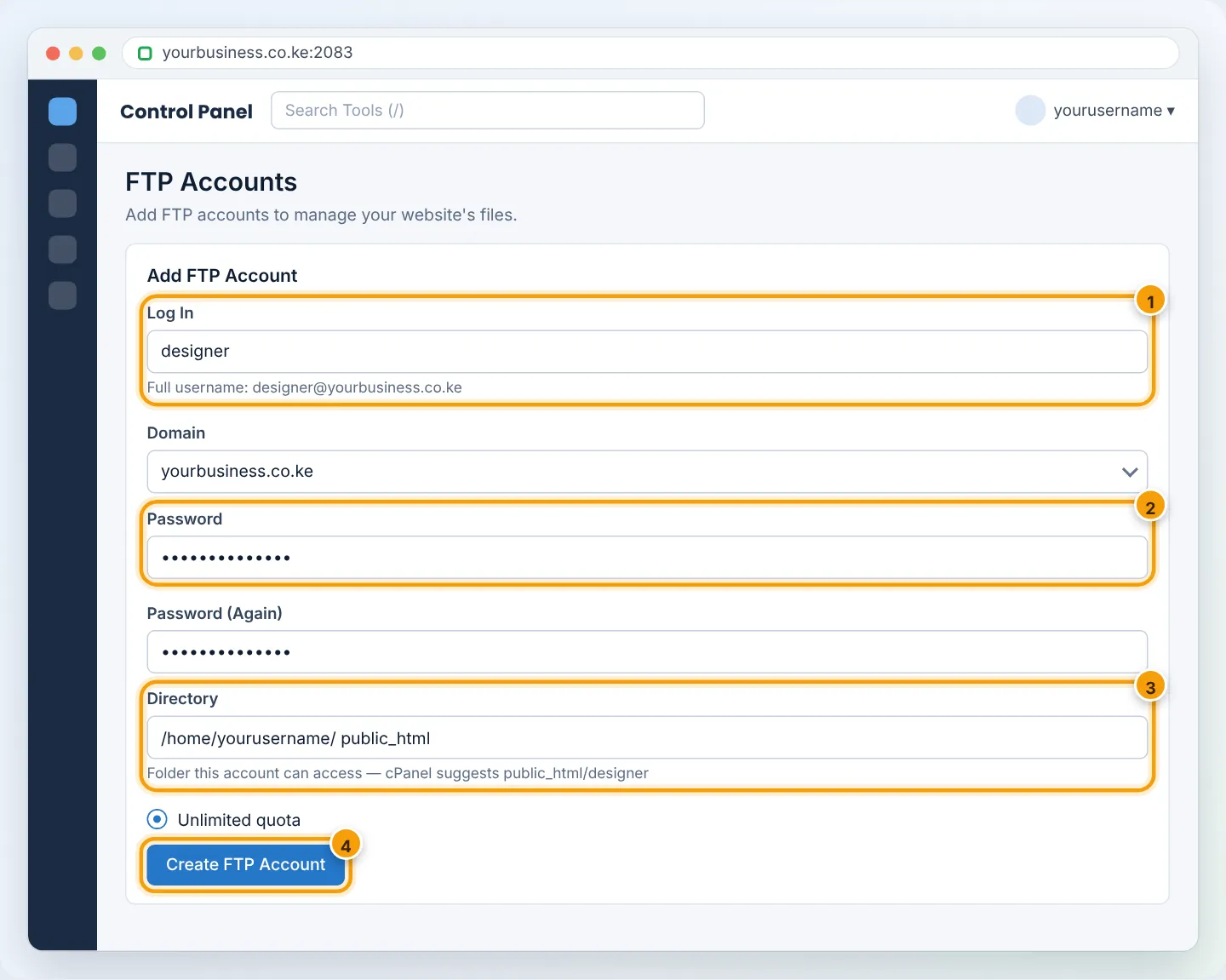
- In cPanel, go to Files → FTP Accounts.
- Log In: e.g.
designer(the full username becomesdesigner@yourbusiness.co.ke). - Password: use the Password Generator and copy the password.
- Directory: this is the folder the account can see. Type
public_htmlto allow only the website, orpublic_html/shopfor one site folder. ⚠️ cPanel pre-fillspublic_html/designer— change it, or the account will open an empty folder. - Quota: Unlimited (or a limit in MB).
- Click Create FTP Account.
Step 2: Get the connection details
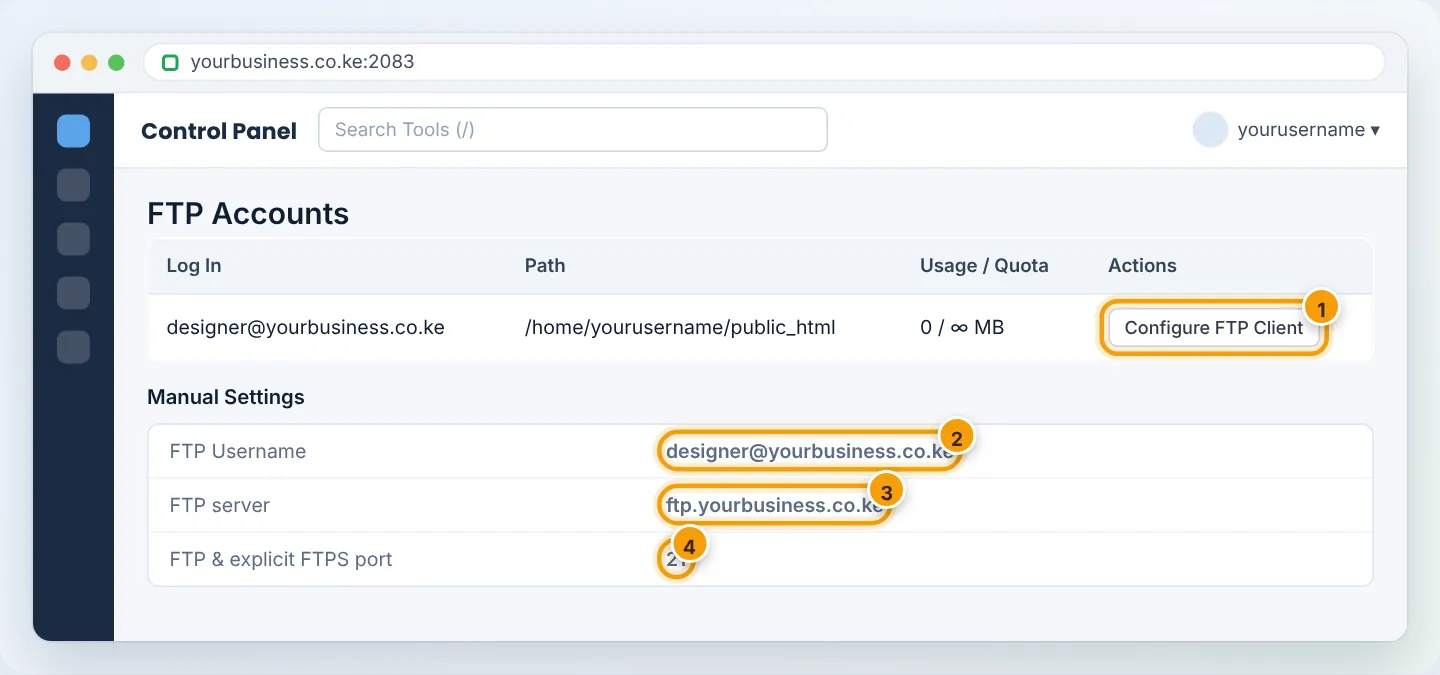
Scroll down to the account in the FTP Accounts list and click Configure FTP Client. Note:
| Setting | Value |
|---|---|
| Host / Server | ftp.yourbusiness.co.ke |
| Username | designer@yourbusiness.co.ke (the full name) |
| Port | 21 |
| Encryption | Require explicit FTP over TLS (FTPS) |
Step 3: Install FileZilla
Download the free FileZilla Client from filezilla-project.org (choose Download FileZilla Client). During installation on Windows, decline any optional extra offers.
Step 4: Save the site in Site Manager
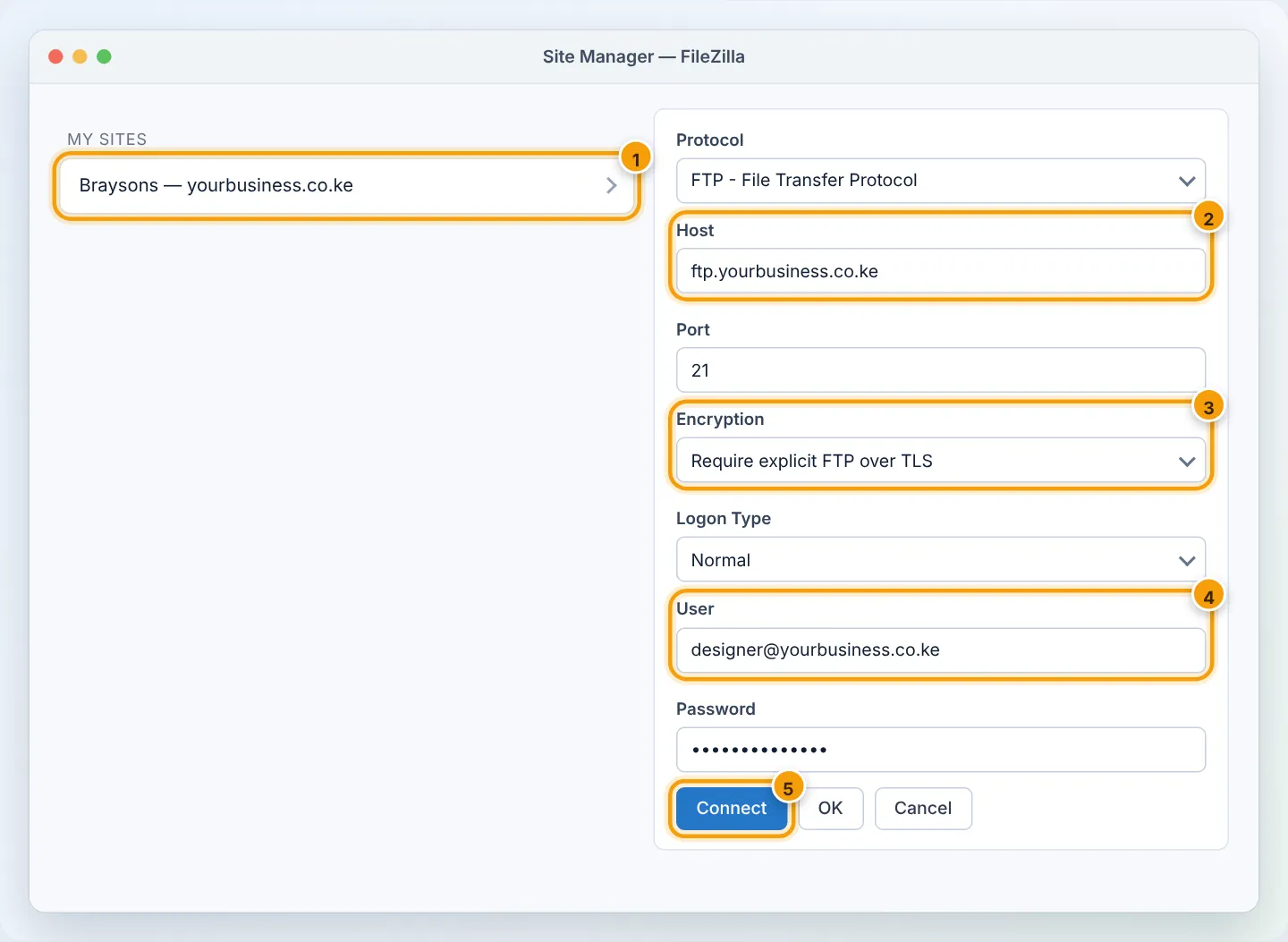
- Open FileZilla → File → Site Manager → New site. Name it Braysons — yourbusiness.co.ke.
- Protocol: FTP – File Transfer Protocol.
- Host:
ftp.yourbusiness.co.ke— Port:21. - Encryption: Require explicit FTP over TLS.
- Logon Type: Normal (or Ask for password on shared computers).
- User: the full FTP username. Password: the FTP password.
- Click Connect.
The first time, FileZilla shows Unknown certificate. Check that it belongs to your server/domain, tick Always trust this certificate in future sessions, and click OK.
Step 5: Transfer files
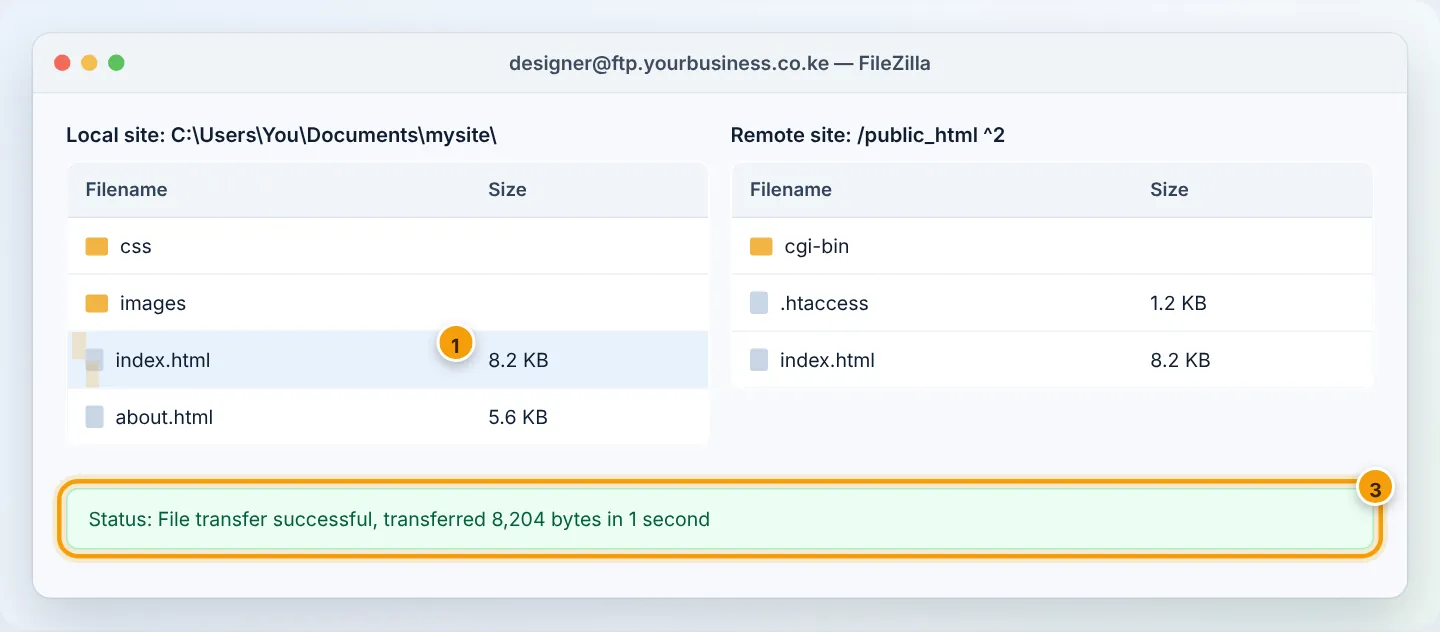
FileZilla has two sides: left = your computer, right = your hosting.
- Upload: in the right panel open
public_html(or the folder your account starts in); in the left panel open your site folder; select files on the left and drag them to the right. - Download: drag from right to left.
- The queue at the bottom shows progress and any failed transfers (right-click → Reset and requeue to retry).
Give a designer temporary access — safely
- Create a separate FTP account limited to the folder they need.
- Send the password through a different channel from the username.
- Delete the account (FTP Accounts → Delete) when the work is finished.
Troubleshooting
| FileZilla message | Cause | Fix |
|---|---|---|
530 Login authentication failed |
Wrong password, or username without @yourbusiness.co.ke |
Use the full username; reset the password in FTP Accounts |
Connection timed out / ECONNREFUSED |
Wrong host, or your network blocks FTP | Use ftp.yourbusiness.co.ke; try mobile data; or use the server IP from cPanel's statistics panel |
Failed to retrieve directory listing |
Firewall/router blocks passive mode | Try another network; in FileZilla Edit → Settings → FTP → Passive ensure passive is selected |
Server did not report the TLS certificate / TLS errors |
Old FileZilla or wrong encryption | Update FileZilla; select Require explicit FTP over TLS |
| Account opens an empty folder | Directory set to public_html/designer |
Change the account's directory in FTP Accounts |
550 Permission denied |
Writing outside the allowed folder, or file permissions | Upload inside the account's folder; check permissions are 644/755 |
After several wrong passwords, our firewall may temporarily block your IP address (you will see time-outs from everywhere on that network). Wait 15 minutes or WhatsApp us your IP from whatismyip.com and we will unblock it.
Frequently asked questions
Is FTP secure? Plain FTP sends passwords unencrypted. Always use explicit FTP over TLS, as above.
Can I use SFTP? SFTP (over SSH, port 22) needs SSH access on your account. Ask support if your plan supports it; otherwise FTPS is the secure choice.
Figures are simplified illustrations. Your screen may look slightly different depending on your theme and the version of cPanel or the app you use.
Still need help?
Our Kenyan support team is on WhatsApp — real people, not bots. Mon–Sat, 8am–10pm EAT. Tickets are open 24/7.