
How to Access and Use Webmail
Webmail lets you read and send business email from any computer or phone browser — no app setup required. It is also the quickest way to check whether an email problem is with the server or with your mail app.
Step 1: Open the webmail login
Use any of these (replace with your domain):
| Address | Notes |
|---|---|
https://yourbusiness.co.ke/webmail |
Easiest to remember |
https://webmail.yourbusiness.co.ke |
Also works on our servers |
https://yourbusiness.co.ke:2096 |
Direct secure port (some office networks block it) |
Log in with your full email address and the mailbox password (not your cPanel password).
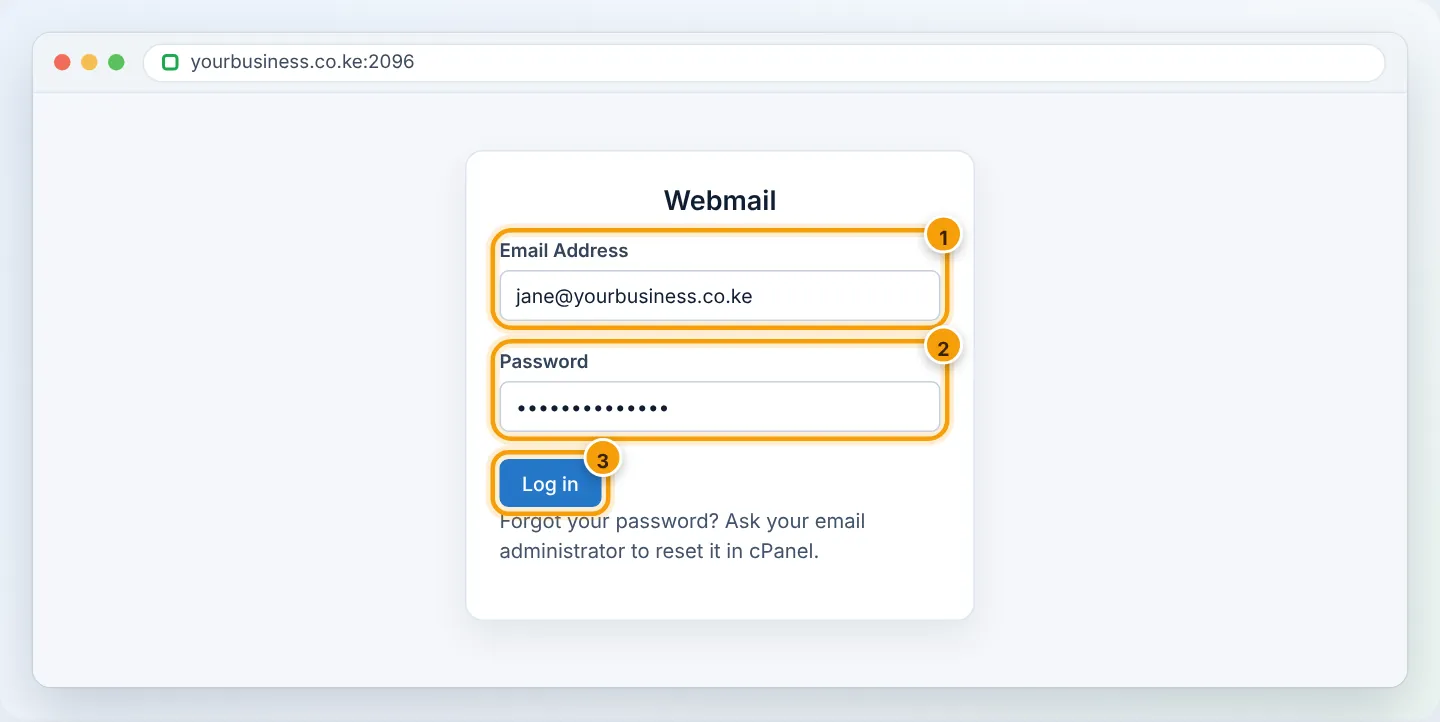
Bookmark the webmail page on your phone's home screen for one-tap access when you are away from your computer.
Step 2: Choose your webmail app (first time only)
If you see a choice of applications, choose Roundcube — it is the modern, mobile-friendly option. Tick Open my inbox when I log in so you skip this screen next time.
Step 3: Find your way around
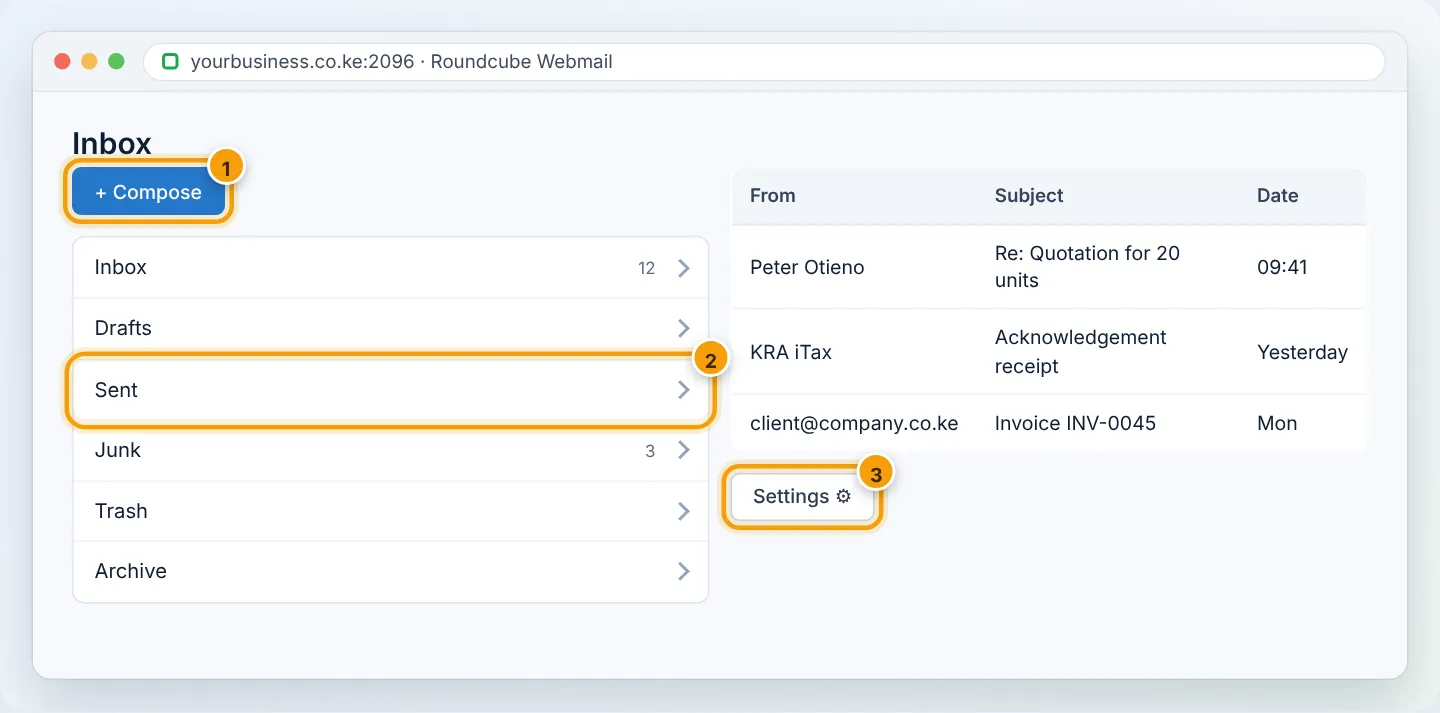
- Compose — write a new email. Attach files with the paperclip (keep attachments under about 20 MB; use a link for bigger files).
- Folders — Sent, Drafts, Junk (check it for missed emails), Trash.
- Search — the search box searches the current folder; click the arrow to search all folders.
Useful settings
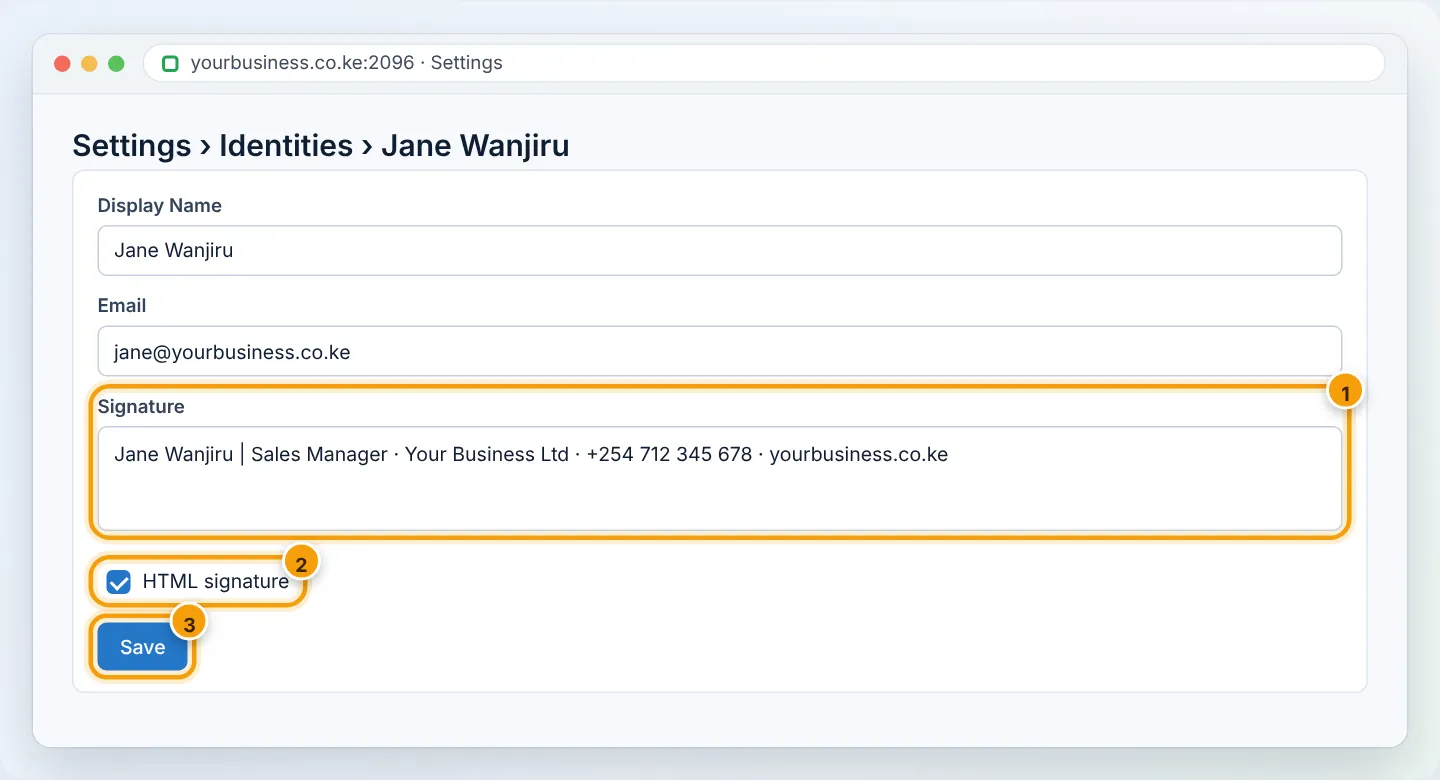
Open Settings (gear icon):
- Identities → add your signature (name, title, phone, website). Tick HTML signature to include formatting.
- Filters → create rules, e.g. if From contains
@kra.go.ke→ move to folder “KRA”. - Out of Office / Vacation → automatic replies (same as cPanel Autoresponders).
- Password → change your mailbox password (if shown). Remember to update it in your phone and Outlook afterwards.
Using webmail to troubleshoot
If email does not work in Outlook or on your phone, try webmail:
- Works in webmail → the problem is your app's settings or saved password. See Outlook, Android, iPhone.
- Fails in webmail too → see Email not sending or receiving.
Troubleshooting
| Problem | Cause | Fix |
|---|---|---|
| “Login failed” | Wrong password or not the full address | Reset the password in cPanel → Email Accounts → Manage |
| Page will not load on office Wi-Fi | Network blocks port 2096, or your IP is firewall-blocked | Use yourbusiness.co.ke/webmail; try mobile data; WhatsApp us your IP |
| Certificate warning | Free SSL not yet issued for the domain | Run AutoSSL in cPanel, or use the server link in your welcome email |
| “Mailbox quota exceeded” | Mailbox full | Empty Trash/Junk; see Fix a full mailbox |
| Attachment will not send | Too large | Share via Google Drive/OneDrive link instead |
Frequently asked questions
Do emails I delete in webmail disappear from my phone too? Yes, if your phone uses IMAP (recommended) — everything stays in sync.
Is webmail secure on a shared computer? Use a private window, never tick remember me, and always Log out when finished.
Figures are simplified illustrations. Your screen may look slightly different depending on your theme and the version of cPanel or the app you use.
Still need help?
Our Kenyan support team is on WhatsApp — real people, not bots. Mon–Sat, 8am–10pm EAT. Tickets are open 24/7.