

Launching a website, web application, or digital platform begins with a single critical foundation: reliable web hosting. Think of hosting as your digital real estate; the secure, high-performance space where your code, databases, and media live and breathe. This guide is designed to take the guesswork out of the procurement process, walking you through how to evaluate server infrastructure, choose the right hosting architecture for your traffic demands, and securely complete your purchase so your project starts on solid ground.
Here is the Step to Step Procedure:
1: Go to braysons.co.ke and select your preferred package… i.e STARTER PACKAGE
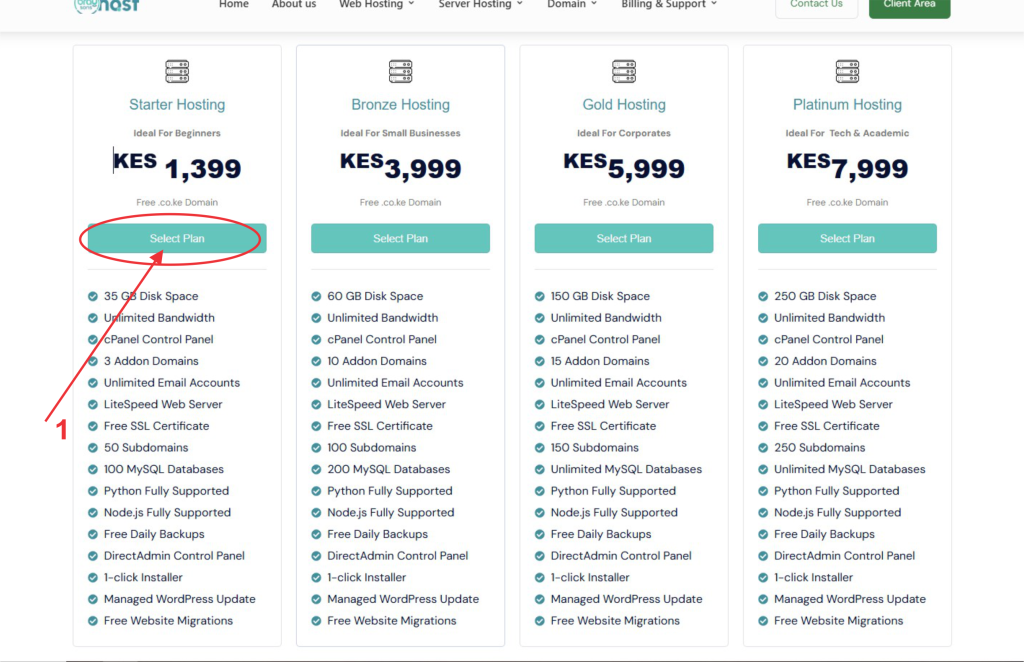
2: Type your preferred domain name… e.g abcdef.co.ke (If marked as available, then you can proceed to the next level. If marked as unavailable, then you must choose a new domain name.
3: Check on the Green (CHECK) button to proceed to the next level
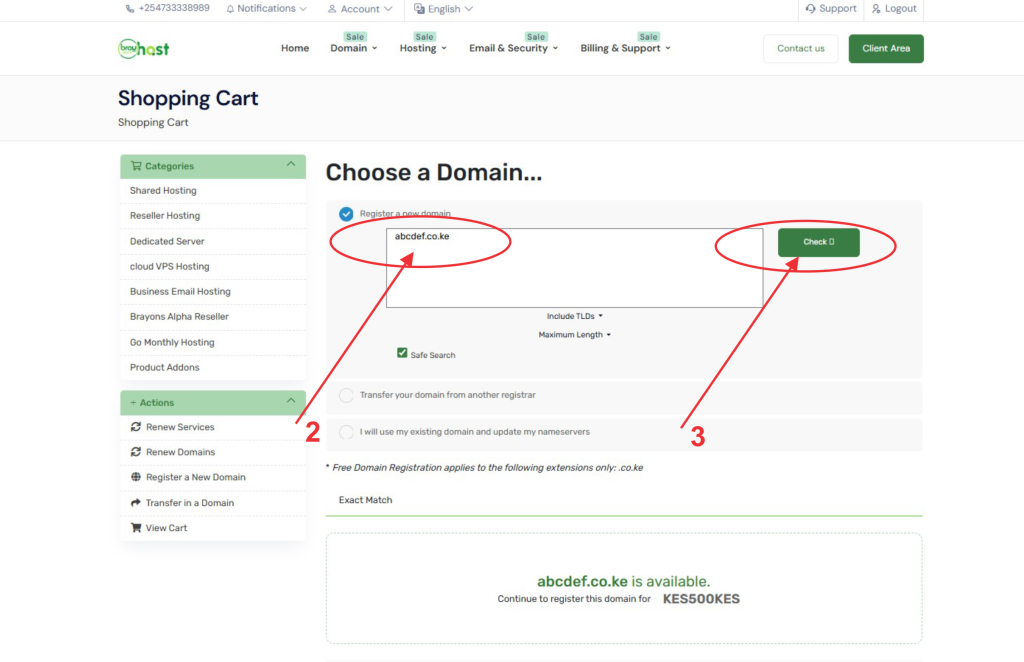
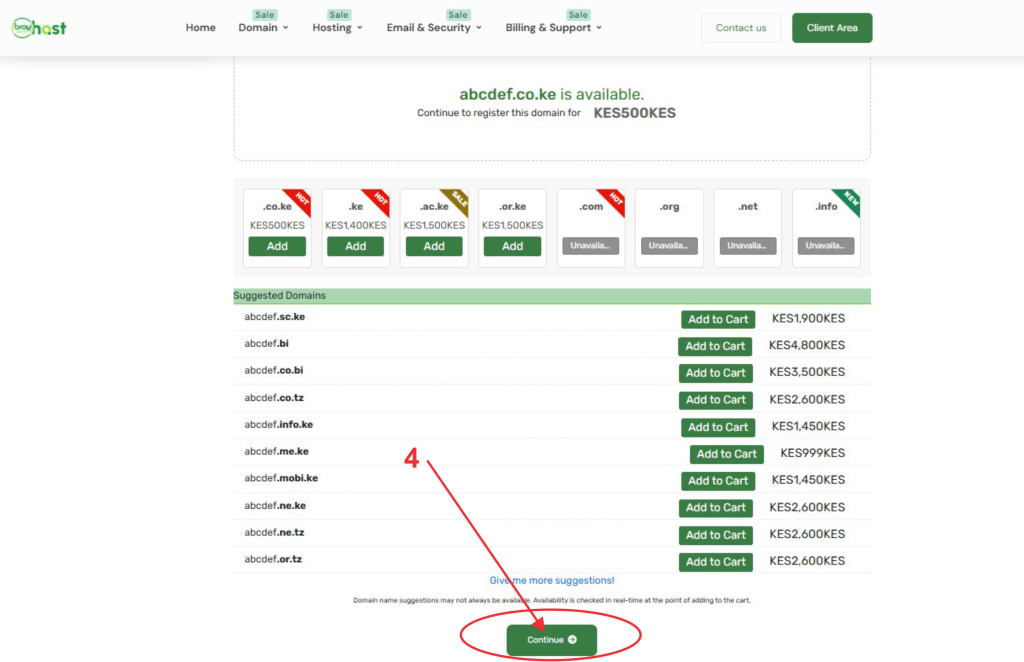
4: Check on the Green (CONTINUE) button to proceed to the next level
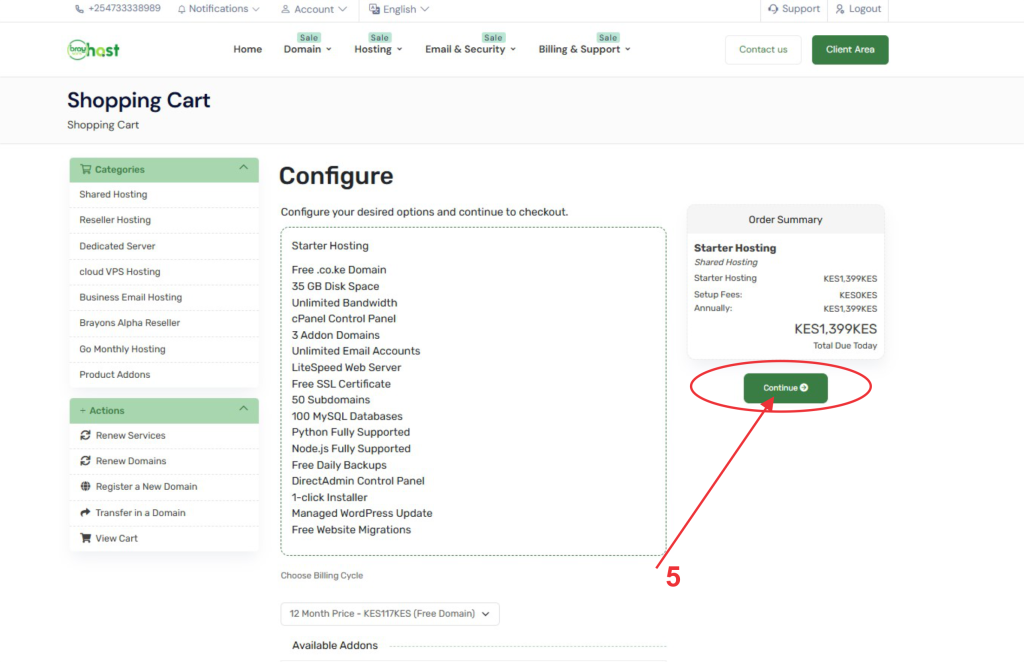
5: Check on the Green (CONTINUE) button to proceed to the next level
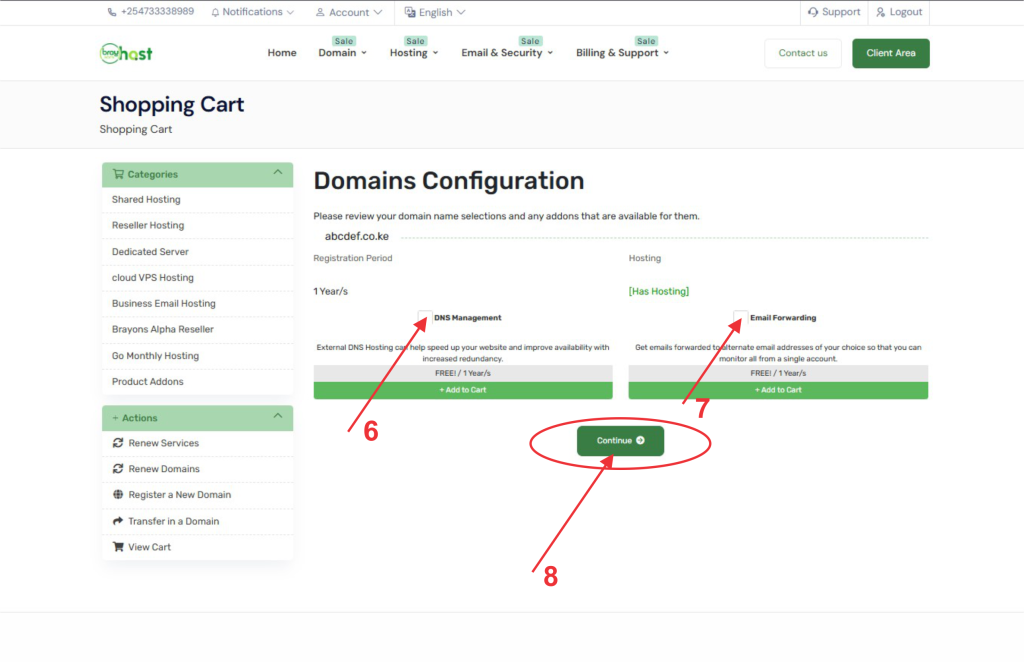
6: Check on the (DND Management) box
7: Check on the (Email Forwarding) box
8: Check on the Green (CONTINUE) button to proceed to the next level
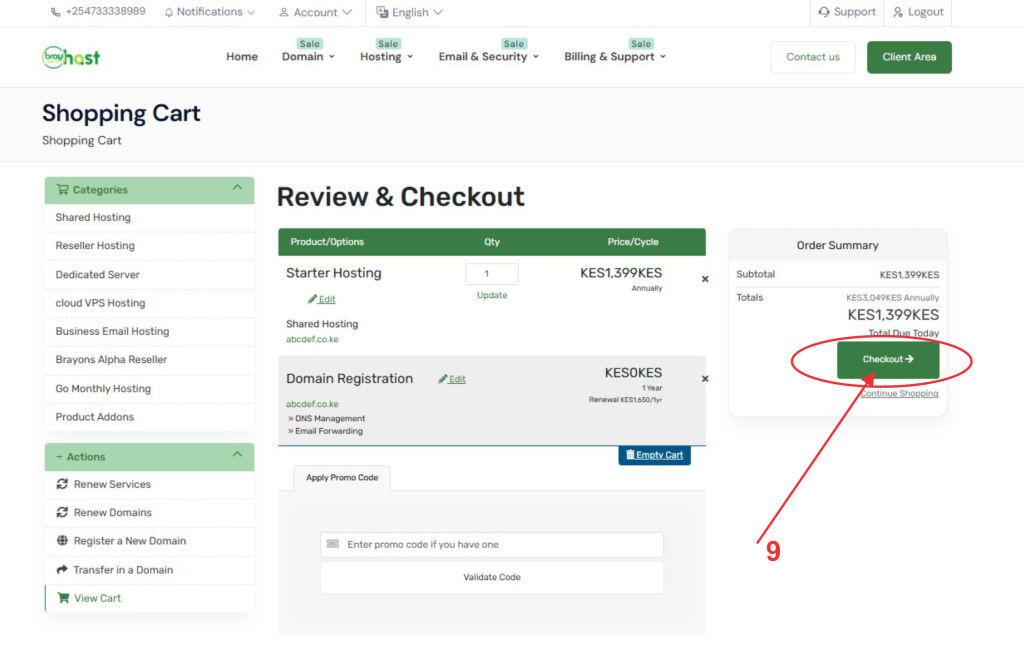
9: Check on the Green (CHECKOUT) button to proceed to the next level
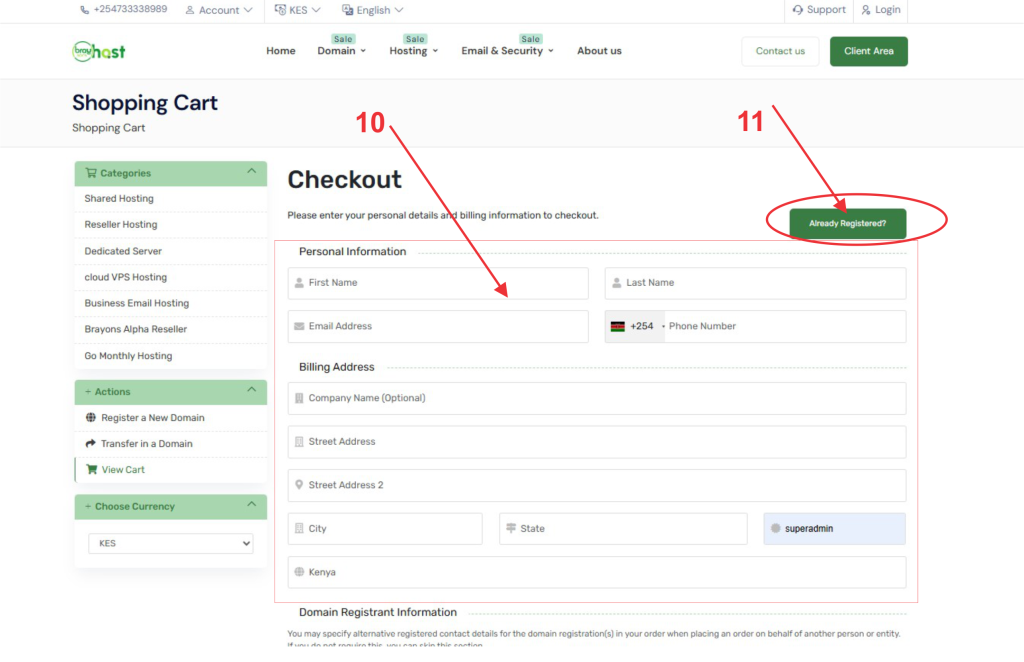
10: Key in your details and go ahead to generate a strong password in the box labeled 10 or
11: Check on the Green (Already Registered) button to login if you already have an account.
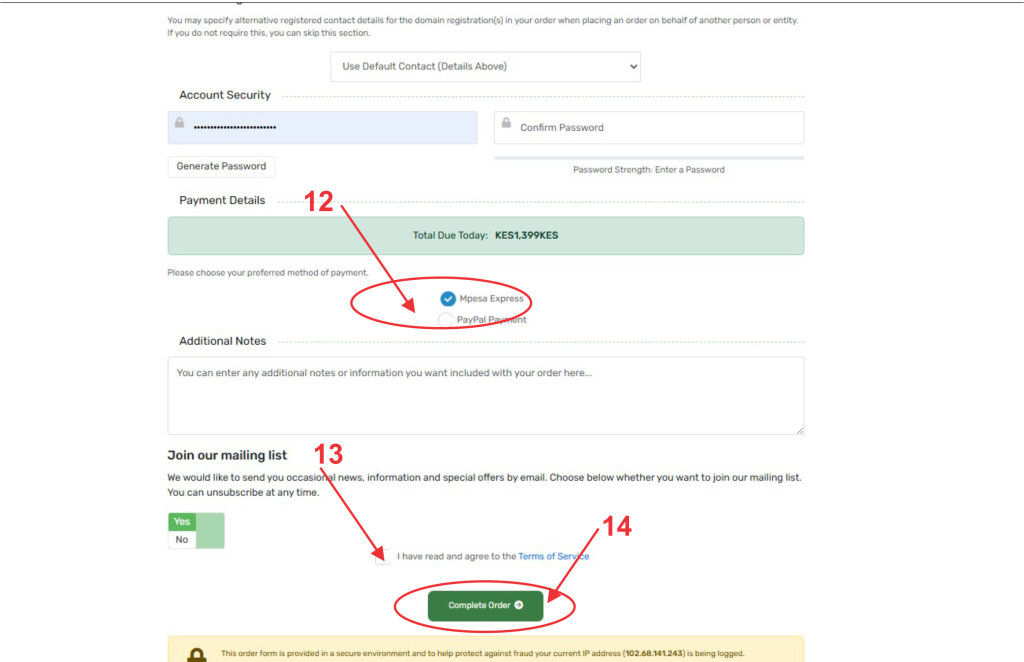
12: Choose your payment plan
13: Check on the box labeled 13 to accept the Terms and Conditions
14: Check on the Green (COMPLETE ORDER) button to proceed to the next level
14: Prompt yourself to pay. (This is based on your preferred payment method
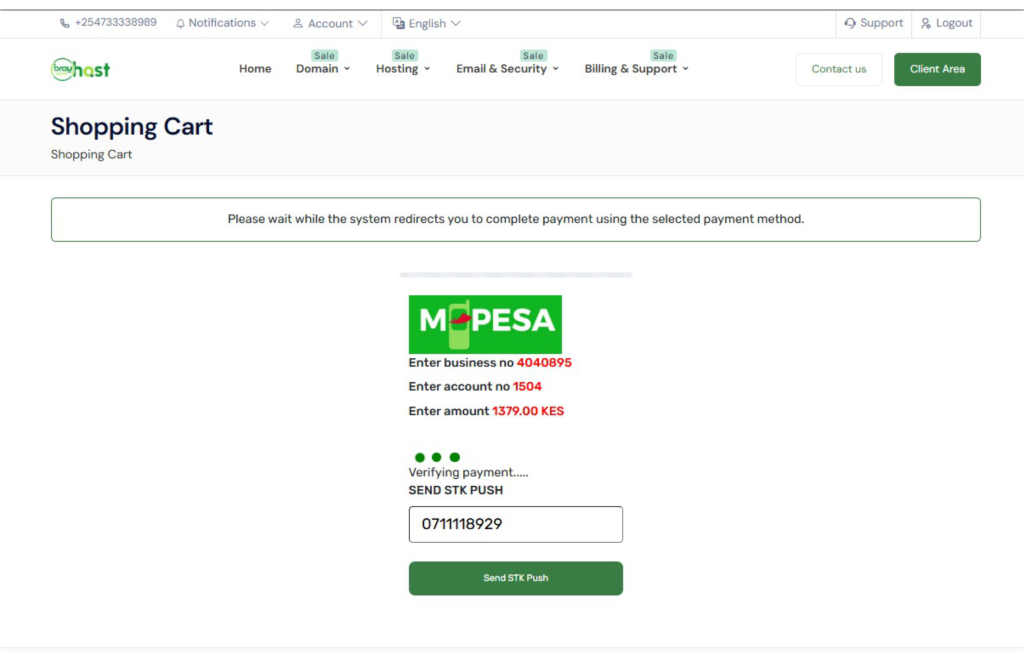
Once your payment is successfully processed, our automated provisioning system takes over immediately. Within a few minutes, your hosting account will be fully created, and your server environment will be ready for deployment.
Please check your inbox (and your spam folder, just in case) for your Welcome Email, which contains your server credentials, nameservers, and control panel access details.
Need Assistance? We’re Here to Help
If you run into any issues during payment, experience a delay in receiving your setup email, or have questions about configuring your new environment, our technical support team is standing by. Feel free to reach out to us through any of the following channels:
- Client Portal & Ticketing: Click here to open a ticket (Available 24/7 for technical and billing escalations)
- Email Support: support@braysons.co.ke
- Phone Support: +254733338989 (Supports WhatsApp/Telegram/Direct Communication)
- Live Chat: Accessible directly via the bottom-right corner of our website.
Thank you for choosing us as your infrastructure partner; let’s build something great together!